Spreadsheet for Excel and Google Sheets
Inventory Tracker and COGS Spreadsheet for Small Business
List your products, log what you buy or make and what you sell, and the sheet keeps stock, average cost, profit per product and reorder flags up to date. At year end, type your stock count and get cost of goods sold and closing stock value.
Price: €12.99Instant download from Etsy. Price in euros; Etsy shows it in your currency.
View on Etsy- Excel and Google Sheets
- 8 tabs, no macros
- Digital download, nothing shipped
Who it’s for
It’s made for small shops, resellers and makers with up to 200 products who want to know what’s on the shelf and what each product really earns.
Makers can log each finished batch as a purchase at the materials cost per unit. The costing method is one average unit cost per product for the year, explained with a worked example in the guide.
What’s inside, tab by tab
- Start Here
- Three steps, one colour rule (yellow cells are where you type) and quick answers.
- Setup
- Business name, currency, year, product categories and sales channels.
- Products
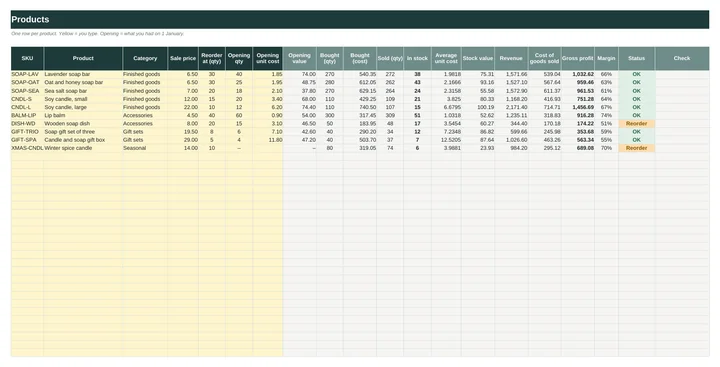
- Up to 200 products with SKU, category, price, reorder level and opening stock, plus in stock, average unit cost, stock value, revenue, COGS, gross profit, margin and a status (OK, Reorder, Out of stock).
- Purchases
- 1,000 rows with quantity, unit cost and extra costs such as shipping, spread over the units.
- Sales
- 2,000 rows with channel, quantity, price and discount, and the revenue and cost of each line.
- Stock Count
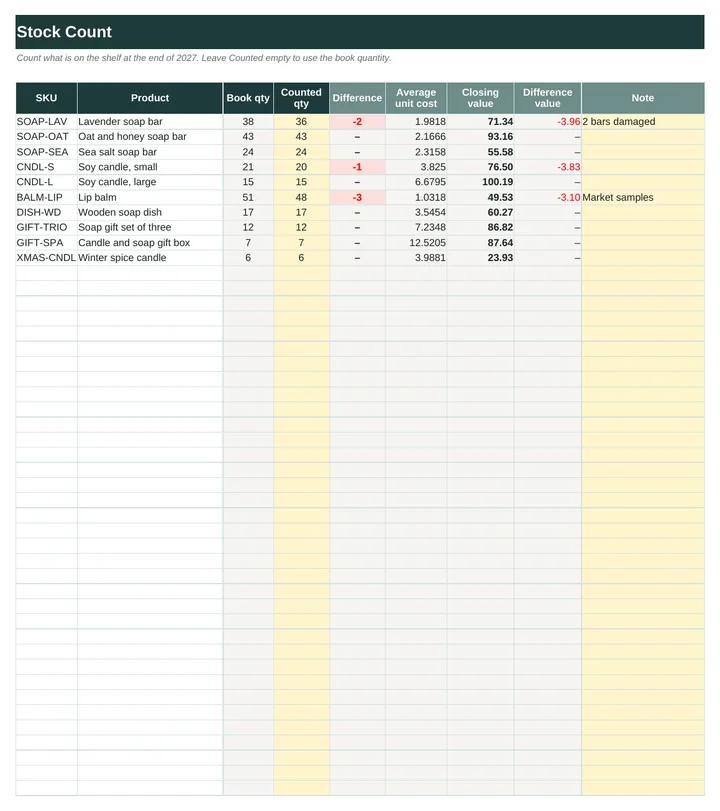
- Book quantity vs counted quantity, the difference and the closing value.
- COGS Summary
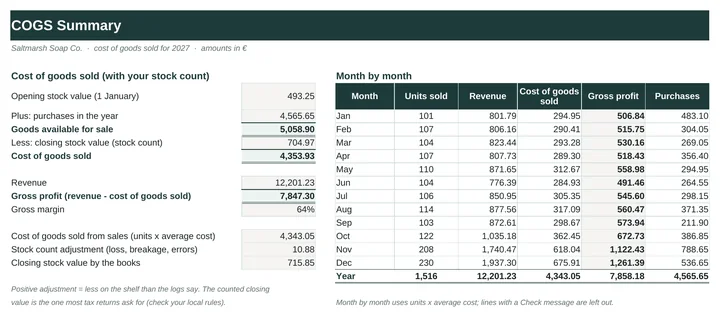
- Opening stock + purchases − closing stock = cost of goods sold, with gross profit, the count adjustment and a month-by-month table.
- Dashboard
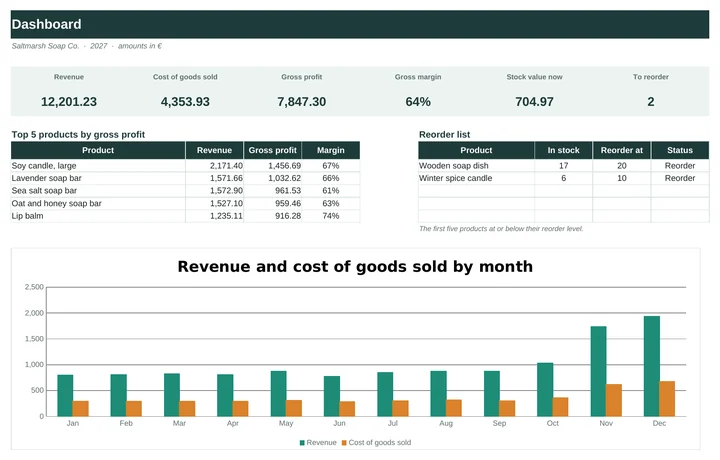
- Revenue, COGS, gross profit, margin, stock value, items to reorder, top 5 products and a chart.
Excel and Google Sheets
The workbook is an .xlsx file that opens in Excel 2010 or later, Excel for Mac and LibreOffice. For Google Sheets, open Google_Sheets_Links.pdf and click the link to make your own copy, or upload the .xlsx to Google Drive and open it with Google Sheets. Formulas and dropdowns carry over; Google redraws the charts, so they can look slightly different. The quick-start guide walks you through it. Type your own currency symbol on Setup and the whole workbook uses it.
There are no macros and nothing to install. Every formula uses only functions that Excel and Google Sheets share, and before release the workbook was filled with an invented maker’s year and checked by 77 automated tests. Apple Numbers can open the file but isn’t supported.
How delivery works
You buy on Etsy, with Etsy’s checkout and buyer protection. As soon as payment goes through, the download is ready on your Etsy Purchases page and Etsy emails you a link. You get one ZIP file containing:
- Inventory_COGS_Tracker.xlsx (blank)
- Inventory_COGS_Tracker_Example.xlsx (an invented soap and candle maker’s year)
- Quick_Start_Guide.pdf (4 pages)
- Google_Sheets_Links.pdf
Nothing is shipped. Because it’s a digital file, Etsy returns don’t apply, but if something isn’t working, send a message through the shop and we’ll help put it right.
Not tax or accounting advice. Check how your tax office wants stock valued.
Inventory & COGS Tracker€12.99 · Excel and Google Sheets · instant download
View on EtsyYou might also need
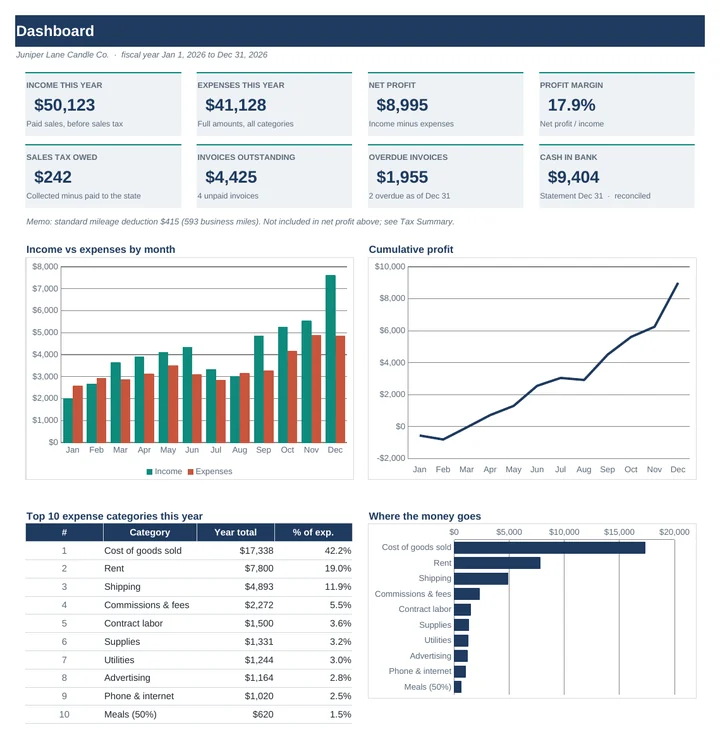 Small Business Bookkeeping & P&LIncome, expenses and invoices in, a monthly profit and loss out. No formulas to write.€11.99
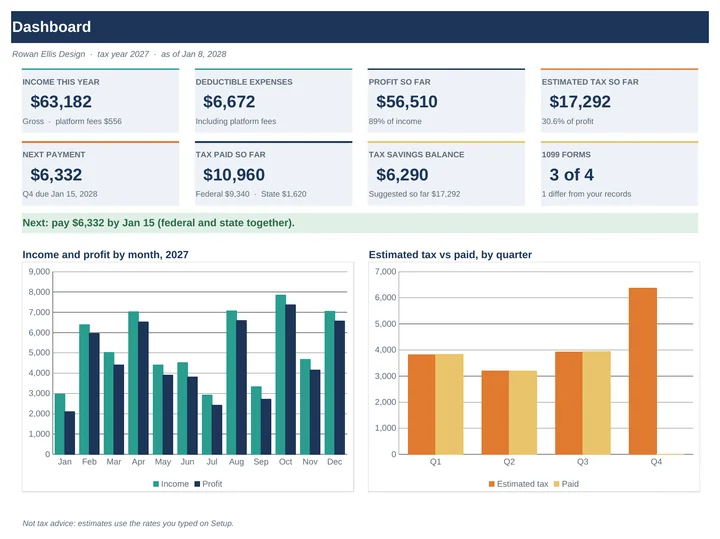 Freelancer Quarterly Tax & 1099 TrackerWhat to set aside, what to pay by each due date, and a check of every 1099.€11.99
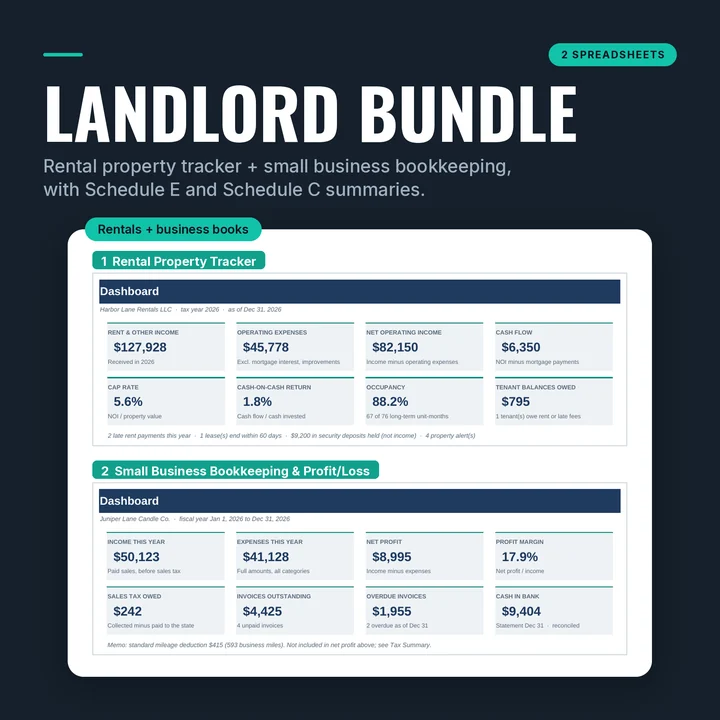 Landlord Bundle: Rental Tracker + BookkeepingThe Rental Property Tracker and the Small Business Bookkeeping workbook in one download.€21.99