Spreadsheet for Excel and Google Sheets
Debt Payoff Tracker Spreadsheet: Snowball and Avalanche
List your debts once and see your debt-free date straight away. The sheet compares the snowball and avalanche methods side by side, tells you exactly what to pay on each debt every month, and tracks your balance as you log payments.
Price: €7.99Instant download from Etsy. Price in euros; Etsy shows it in your currency.
View on Etsy- Excel and Google Sheets
- 6 tabs, no macros
- Digital download, nothing shipped
Who it’s for
It’s made for anyone paying down credit cards, store cards, car loans, student loans, personal loans or medical bills who wants a clear plan instead of a pile of statements.
It runs the real snowball: when a debt is paid off, its minimum rolls on to the next one, so your monthly total stays the same. Interest is worked out month by month (APR / 12, rounded to the cent), not as a rough average.
What’s inside, tab by tab
- Start Here
- Three steps, one colour rule (yellow cells are where you type) and quick answers.
- Debts
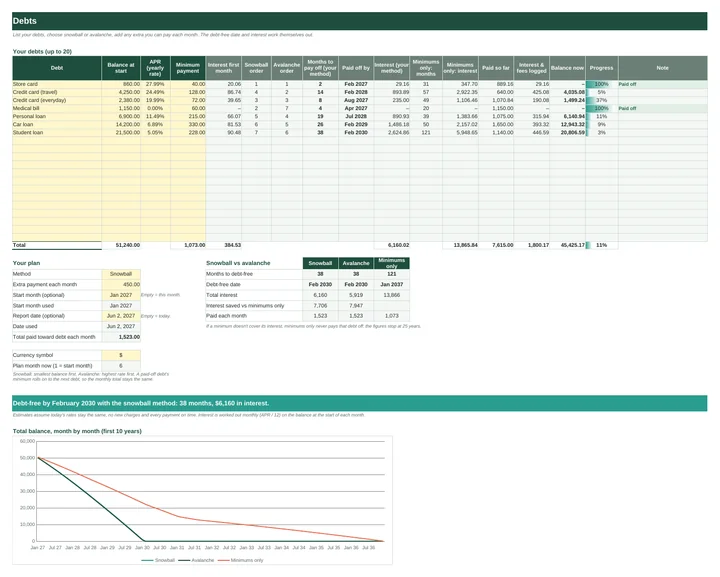
- Up to 20 debts with balance, yearly rate and minimum payment. Pick snowball or avalanche, add an extra monthly payment and a start month, and see the payoff order, paid-off date and interest for each debt, plus snowball vs avalanche vs minimums only.
- Payments
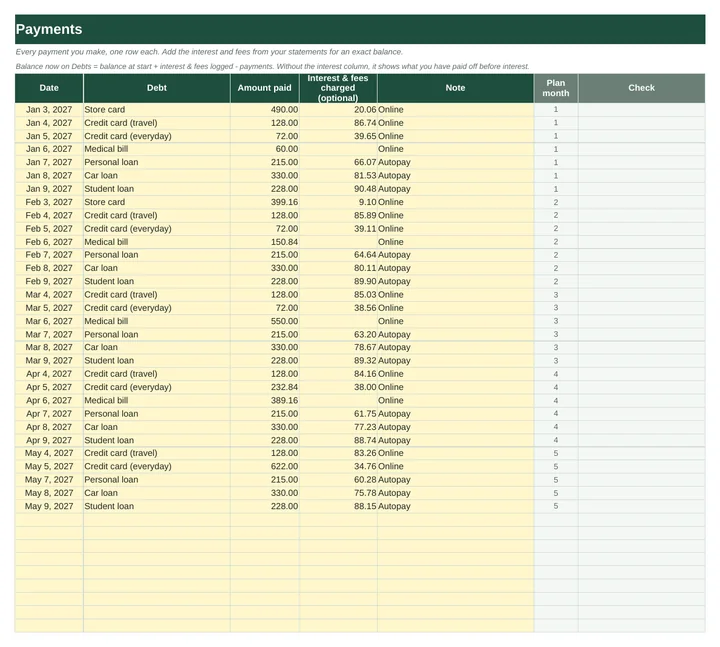
- 500 rows to log what you pay, plus interest and fees from your statements, so each debt shows paid so far, balance now and progress.
- Payoff Plan
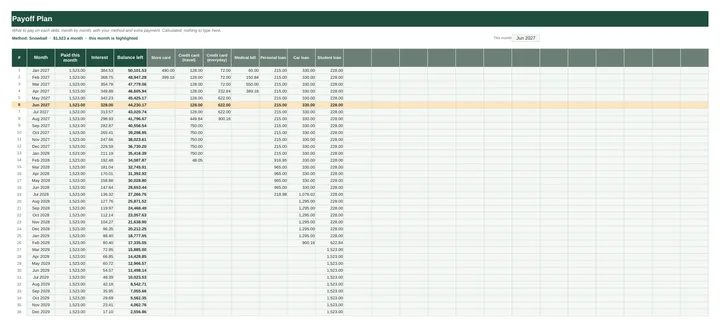
- Month by month for up to 25 years: what to pay on each debt, total paid, interest and balance left, with this month highlighted.
- Dashboard
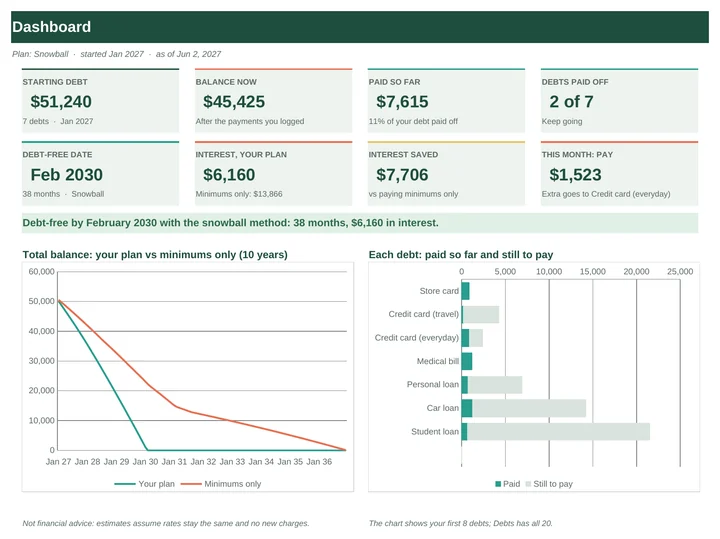
- Starting debt, balance now, debt-free date, interest, interest saved, this month’s payment and which debt the extra goes to, with two charts.
- Debt Schedule
- The month-by-month maths behind the plan, with nothing to type.
Honest warnings
A minimum payment that doesn’t cover the interest is flagged, and plans longer than 25 years say so. Payoff dates assume rates stay the same, no new charges and every payment on time.
Excel and Google Sheets
The workbook is an .xlsx file that opens in Excel 2010 or later, Excel for Mac and LibreOffice. For Google Sheets, upload the .xlsx to Google Drive, open it with Google Sheets, then choose File > Save as Google Sheets. Formulas and dropdowns carry over; Google redraws the charts, so they can look slightly different. The quick-start guide walks you through it. Type your own currency symbol on Setup and the whole workbook uses it.
There are no macros and nothing to install. Every formula uses only functions that Excel and Google Sheets share, and before release the workbook was filled with sample debts and checked by 58 automated tests. Apple Numbers can open the file but isn’t supported.
How delivery works
You buy on Etsy, with Etsy’s checkout and buyer protection. As soon as payment goes through, the download is ready on your Etsy Purchases page and Etsy emails you a link. You get one ZIP file containing:
- Debt_Payoff_Tracker.xlsx
- Quick_Start_Guide.pdf (5 pages, with a worked example)
Nothing is shipped. Because it’s a digital file, Etsy returns don’t apply, but if something isn’t working, send a message through the shop and we’ll help put it right.
Not financial advice. Payoff dates and interest are estimates; your lender’s statements are the real numbers.
Read the guide
Debt snowball vs avalanche. Both methods pay every minimum and throw any extra money at one debt at a time. The only difference is which debt gets the extra first, and that choice trades interest saved against quick wins.
Debt Payoff Tracker€7.99 · Excel and Google Sheets · instant download
View on EtsyYou might also need
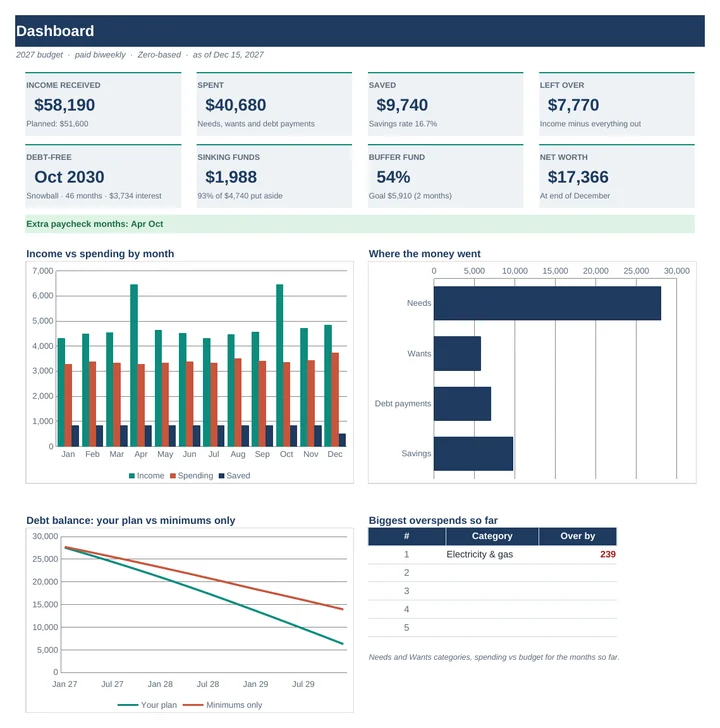 2027 Budget PlannerPlan the year one paycheck at a time, even when your income changes month to month.€15.99
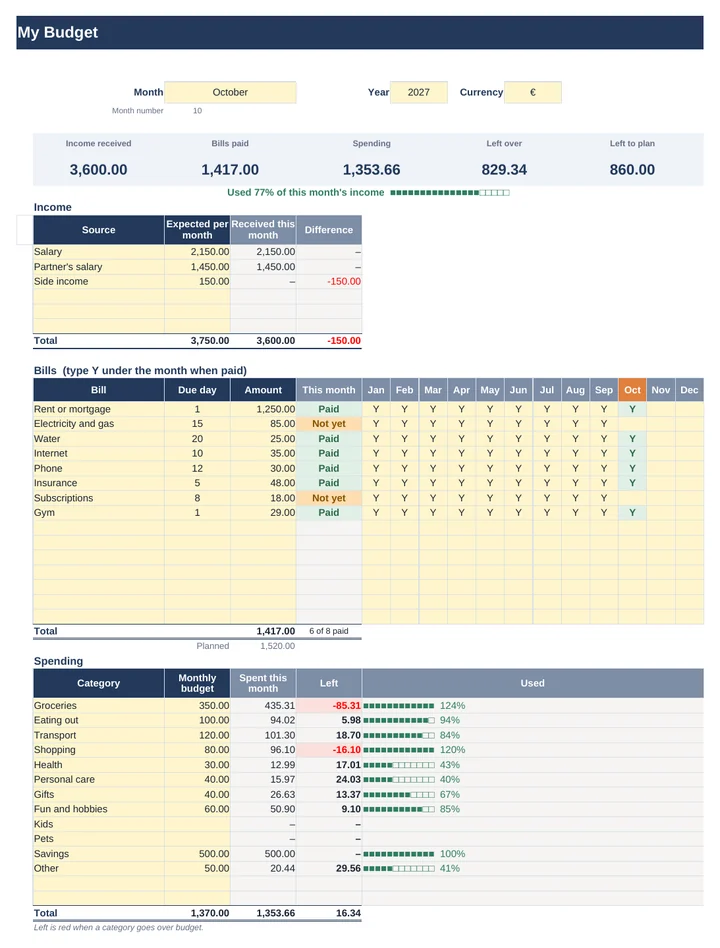 Simple Monthly Budget PlannerIncome, bills, spending and what’s left on one page. Pick a month and every number follows.€7.99
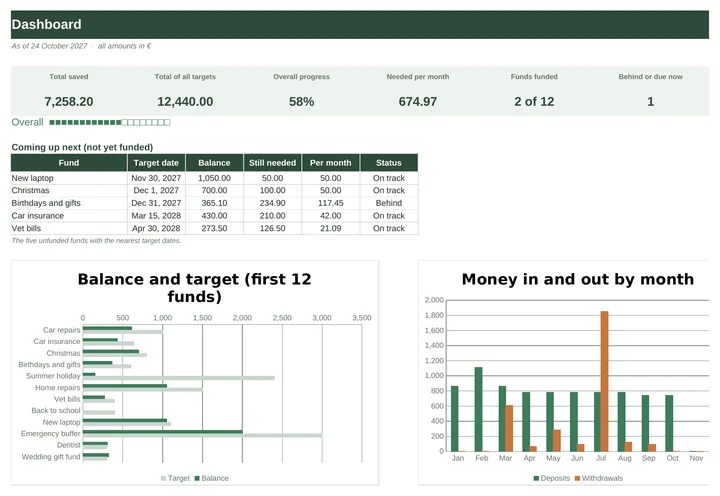 Sinking Funds TrackerUp to 30 funds with a target and a date. It tells you what to put aside each month.€8.99